製做 Notion 轉 HTML 的客製化工具
前言
寫 blog 文章 / 靶機筆記 時,我很喜歡先在 Notion 撰寫草稿,操作簡單上手快 版面很好調整、還有可以直接嵌入影片, 文件和程式碼區塊等非常好用的功能。能讓我先大概看看成品預覽長什麼樣子,不會只有單純文字排版。
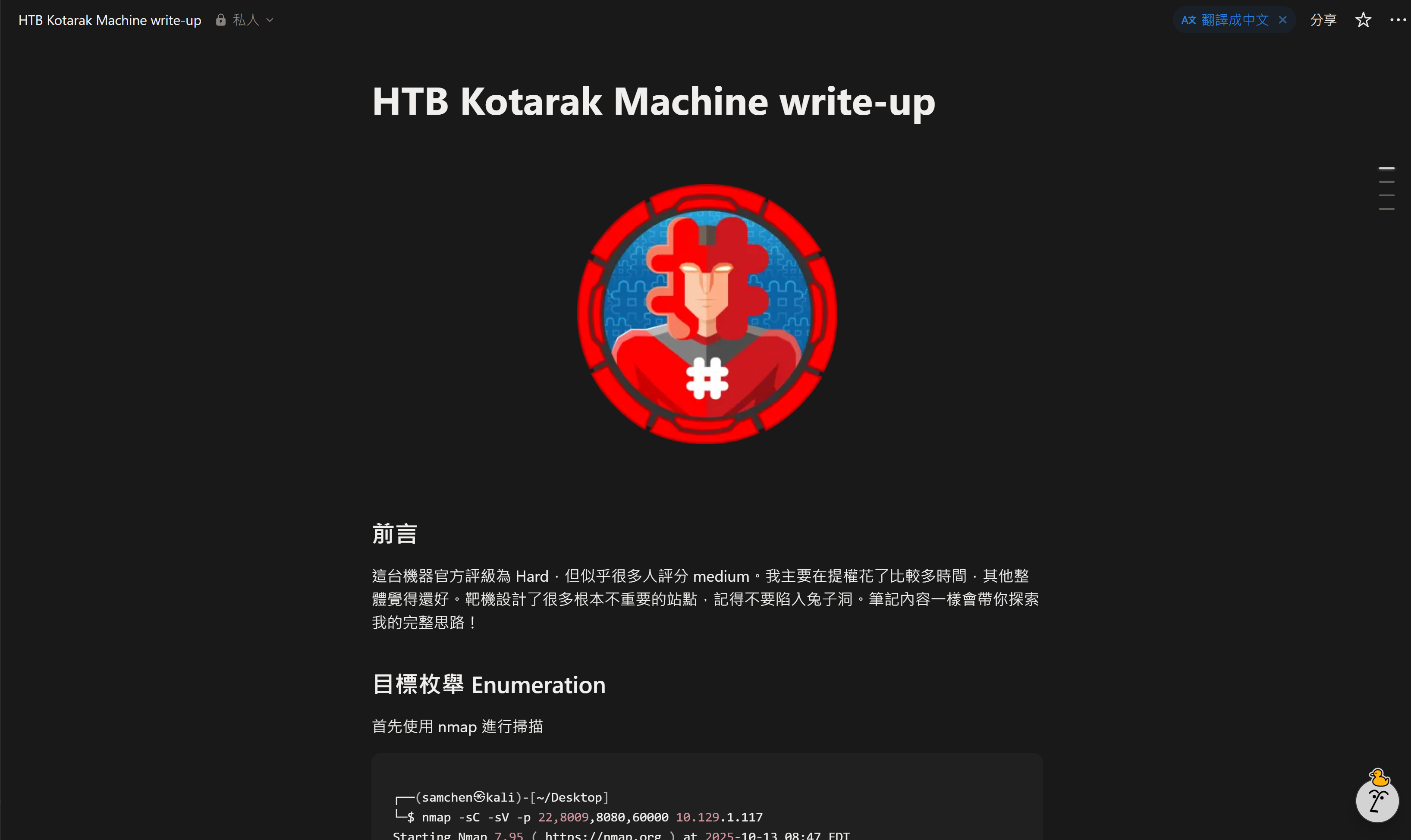
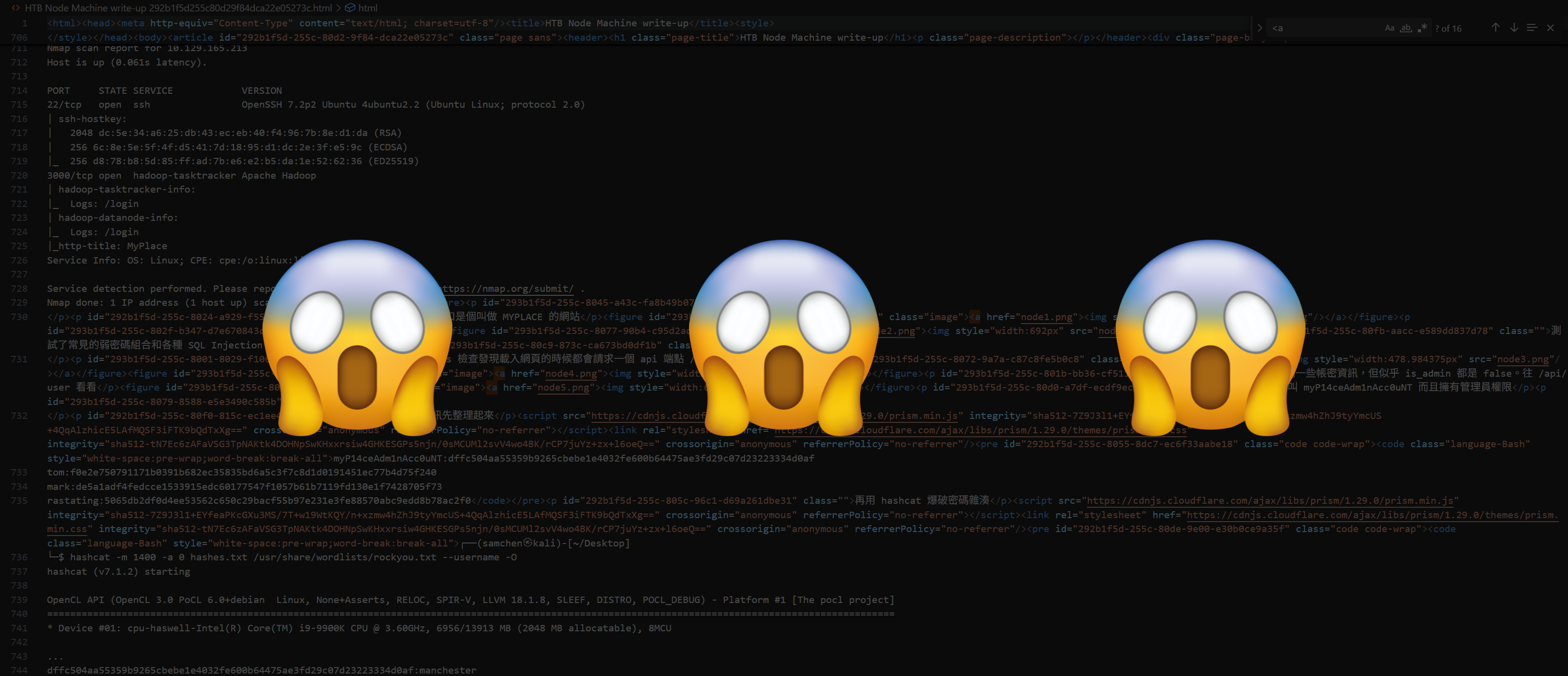
不過有個問題就是由於我的網站是靜態的,每次寫完要細修和準備上線的時候,就得再寫一份全新的 HTML 。雖然整體骨架有固定的格式,可以把前一篇的 HTML 拿來改,但要修改的地方其實不只內文,<head> 裡一堆細節(OG/Twitter、語系 alternate、路徑…)都得跟著調,有些小地方常常會忘記改到,還要考慮文章是不是中英雙語版。而且在那慢慢複製貼上和新增標籤排版要花費的時間不少。你可能會問那為啥不用 Notion 匯出的 HTML 改就好? 只能說你太天真了,Notion 匯出的排版和東西很恐怖與我網站結構和樣式差太多了,拿這改簡直是要了我的命,不如自己寫一份新的。所以我最近有了這個「Notion 轉 HTML 客製化工具」的想法。Notion API 能不能達到同樣的效果我不清楚,暫時沒時間研究,目前還是自己寫程式最快。
需求分析
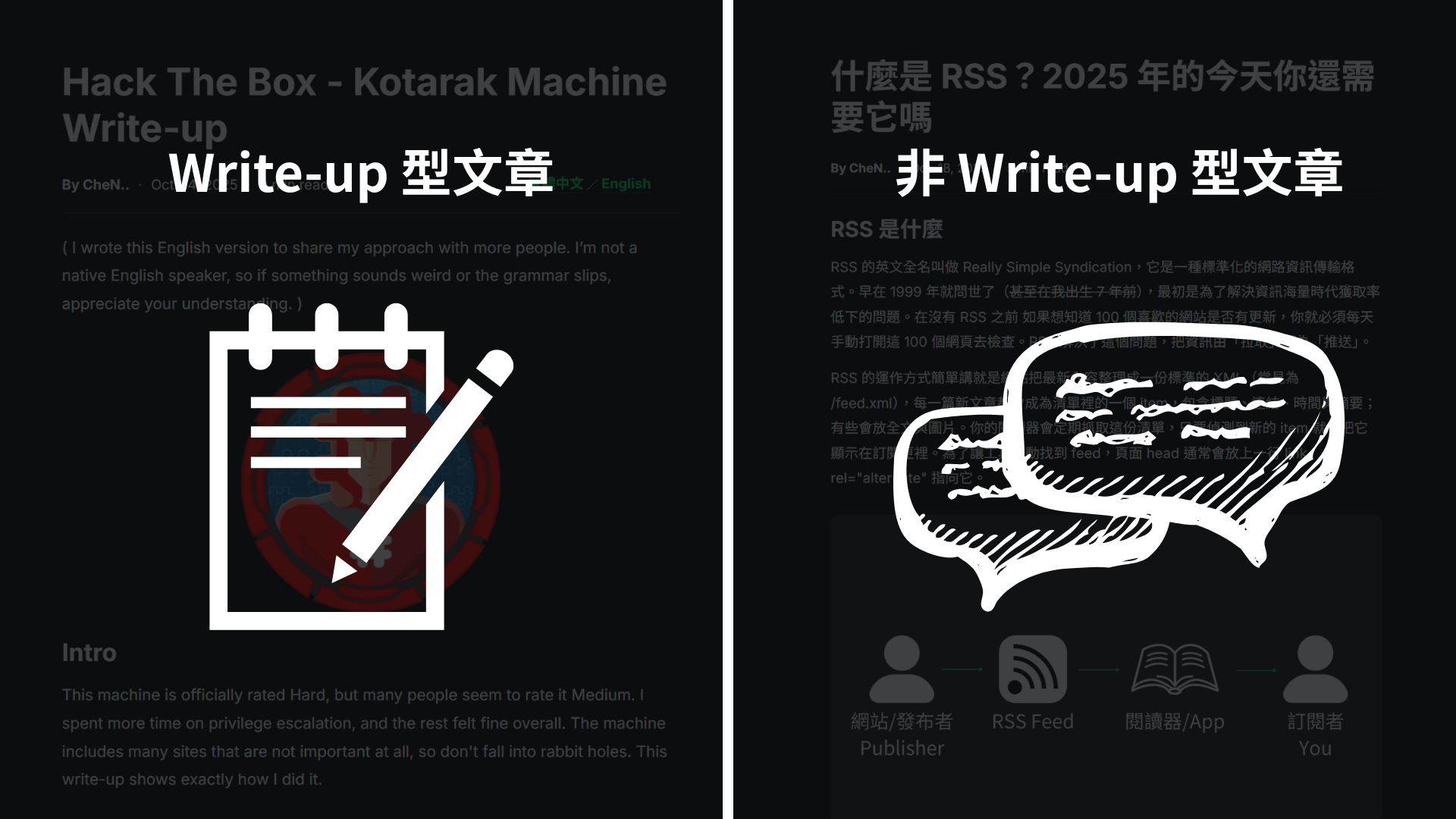
最基本的當然是工具要能夠把從 Notion 匯出的 .md 中把大標題、中標題、內文與程式碼區塊轉成我們需要的 HTML,順便把 <head> 內的各種細節一併處理。目前現有的文章分成 write-up 和 非 write-up 文章 兩種類型。
- 確認目錄名稱: 文章目錄固定為
/media/blog/{slug},圖片路徑固定為/media/blog/{slug}/{檔名},檔名從.md裡面抓。 - 是否為 HTB write-up: write-up 會有固定的靶機 hero 圖在最上面,一般文章不顯示 hero。
- 大標題: write-up 自動設為
Hack The Box - XXX Machine Write-up;一般文章沿用 H1。 - 描述: write-up 固定為「筆記內容會帶你探索我的完整思路!」;一般文抓第一個
<p>的前 140 字。 - 連結: Markdown
[text](url)轉成<a href="…" target="_blank" rel="noopener">。 - 語系: 詢問是否為雙語,若是會輸出
<link rel="alternate">與頁內語言切換。 - 閱讀時間: 個人自行調整,固定印為
? min read。 - 日期: 自動抓取當天的日期作為發布日期。
- 頭部與固定部分: OG/Twitter、Inter 字體、favicon、RSS …等等。
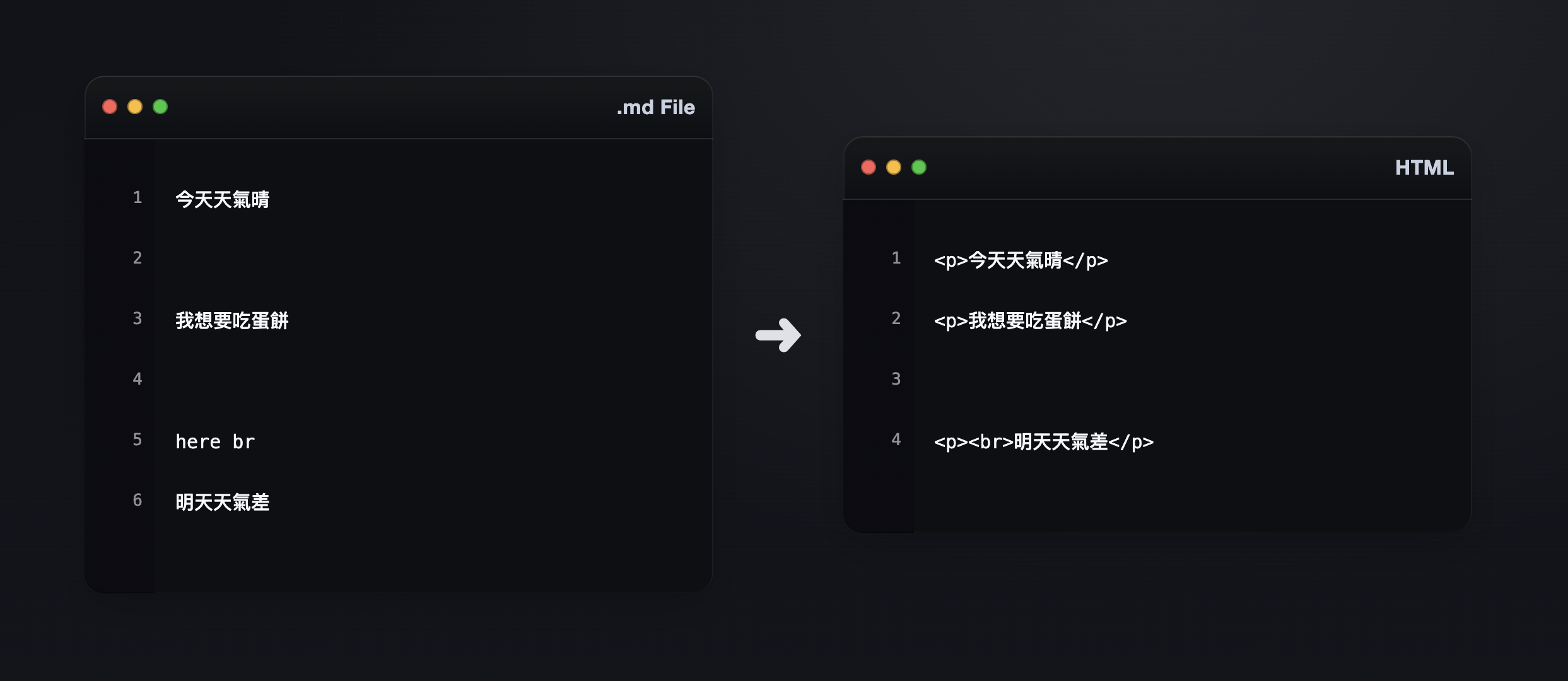
- 自訂換行: 需要換行的地方在
.md空兩行,第二行標記here br,轉出來的下一段就會是<p><br>…</p>。
程式流程
模組主要使用 re 來處理文字規則,像找 H1、辨識 ##、抓圖片或連結語法;html 負責把內容做 escape,避免 <、" 把結構弄壞,只有我們標過的連結會在最後還原;datetime 固定在台北時區並輸出兩種日期格式;Path 幫忙拿檔名、圖片路徑。
一開始先把台北時區訂好,日期會是發佈的時間。接著 ask() 和 yesno() 讓轉檔時 用問答的方式決定每篇文章的差異(slug、是不是 write-up、是不是雙語版)。最後用 first_h1() 從 Markdown 抓第一個 # 當作標題與預設 slug 的參考來源。
import re, html, datetime
from pathlib import Path

# 取我們台北時區
TZ = datetime.timezone(datetime.timedelta(hours=8))  # Asia/Taipei

# 格式相關東西詢問
def ask(prompt, default=None, validator=None):
    d = f" [{default}]" if default not in (None, "") else ""
    while True:
        val = input(f"{prompt}{d}: ").strip()
        if val == "" and default is not None:
            val = default
        if validator and not validator(val):
            print("格式不正確,請再試一次")
            continue
        return val

def yesno(prompt, default=True):
    d = "Y/n" if default else "y/N"
    while True:
        val = input(f"{prompt} ({d}): ").strip().lower()
        if val == "" and default is not None:
            return default
        if val in ("y","yes","true","1"):  return True
        if val in ("n","no","false","0"):  return False
        print("  請輸入 y 或 n")

def today_date_strings():
    now = datetime.datetime.now(TZ)
    return now.strftime("%b. %d, %Y"), now.strftime("%Y-%m-%d")

def first_h1(md: str):
    m = re.search(r"^#\s+(.+)$", md, flags=re.M)
    return m.group(1).strip() if m else ""
再來這段 md_to_html_body() 幫我們從 Markdown 變成期望的 HTML 主體,把 ## 轉成 <h2>,上方自動補一行中標註解,段落靠空行分段。程式碼區塊先丟進暫存,結束再一次輸出 <pre><code> 防止第一行多出空白。圖片會轉成 <figure class="writeonly"> 加 <img>,路徑一律是 /media/blog/{slug}/{檔名},同時記下第一張圖給 hero 和 og:image 使用。連結的部分先把 [text](url) 和原生 <a> 換成佔位符 對整段文字做 escape,最後還原成 <a>。自訂換行部分:單獨一行寫 here br,下一段開頭就會插 <br>。
# Markdown → HTML
def md_to_html_body(md: str, slug: str, skip_first_image_in_body: bool):
    lines = md.splitlines()
    out, buf = [], []
    in_code = False
    code_lang = ""
    code_buf = []
    grabbed_h1 = None
    first_img_web = None
    pending_br = False

    # 超連結 避免被 escape
    placeholders = []

    def make_placeholder(html_str: str) -> str:
        idx = len(placeholders)
        placeholders.append(html_str)
        return f"§§A{idx}§§"

    def restore_placeholders(text: str) -> str:
        return re.sub(r"§§A(\d+)§§", lambda m: placeholders[int(m.group(1))], text)

    def sanitize_href(href: str) -> str:
        href = href.strip()
        # 只能 http/https 或站內路徑
        if not (href.startswith("http://") or href.startswith("https://") or href.startswith("/")):
            href = "#"
        return html.escape(href, quote=True)

    def md_links_to_placeholders(s: str) -> str:
        # [text](url) 改佔位符(target=_blank rel=noopener)
        def repl(m):
            text = html.escape(m.group(1))
            href = sanitize_href(m.group(2))
            return make_placeholder(f'<a href="{href}" target="_blank" rel="noopener">{text}</a>')
        return re.sub(r'\[([^\]]+)\]\(([^)]+)\)', repl, s)

    def raw_a_to_placeholders(s: str) -> str:
        # 保留 target/rel,href 淨化,錨文字 escape
        def repl(m):
            full = m.group(0)
            m_href   = re.search(r'href\s*=\s*([\'"])(.*?)\1', full, flags=re.I)
            m_target = re.search(r'target\s*=\s*([\'"])(.*?)\1', full, flags=re.I)
            m_rel    = re.search(r'rel\s*=\s*([\'"])(.*?)\1', full, flags=re.I)
            href = sanitize_href(m_href.group(2)) if m_href else "#"
            target_attr = f' target="{html.escape(m_target.group(2), True)}"' if m_target else ""
            rel_attr    = f' rel="{html.escape(m_rel.group(2), True)}"'    if m_rel    else ""
            inner = re.sub(r'^<a\b[^>]*>|</a>$', '', full, flags=re.I|re.S).strip()
            inner = html.escape(inner)
            return make_placeholder(f'<a href="{href}"{target_attr}{rel_attr}>{inner}</a>')
        return re.sub(r'<a\b[^>]*>.*?</a>', repl, s, flags=re.I|re.S)

    def flush_para():
        nonlocal buf, pending_br
        if not buf:
            return
        text = "\n".join(buf).strip()
        text = html.escape(text)           # 整段 escape
        text = restore_placeholders(text)  # 再把 <a> 佔位還原
        if pending_br:
            out.append("")                 # 上面空行
            out.append(f"<p><br>{text}</p>")
            pending_br = False
        else:
            out.append(f"<p>{text}</p>")
        buf = []

    for raw in lines:
        # here br 標記
        if raw.strip().lower() == "here br":
            flush_para()
            pending_br = True
            continue

        # fenced code 開始
        m = re.match(r"^```(\w+)?\s*$", raw)
        if m and not in_code:
            flush_para()
            in_code = True
            code_buf = []
            code_lang = (m.group(1) or "").lower()
            continue

        # fenced code 結束
        if in_code and raw.strip() == "```":
            in_code = False
            klass = "language-" + html.escape(code_lang)
            if code_lang == "python":
                klass = "language-python hl-allow"
            elif code_lang == "bash":
                klass = "language-bash"  # 不上色
            code_html = "\n".join(code_buf)
            out.append(f'<pre><code class="{klass}">{code_html}</code></pre>')
            code_buf = []
            continue

        # fenced code 內容
        if in_code:
            code_buf.append(html.escape(raw))
            continue

        # 圖片
        img = re.match(r'^\s*!\[([^\]]*)\]\(([^)]+)\)\s*$', raw)
        if img:
            flush_para()
            alt = img.group(1).strip() or Path(img.group(2)).name
            fname = img.group(2).strip()
            web_src = f"/media/blog/{slug}/{fname}"
            if first_img_web is None:
                first_img_web = web_src
                if skip_first_image_in_body:
                    # Write-up 首圖不顯示
                    pass
                else:
                    # 非 Write-up 首圖照原位顯示
                    out.append(f'<figure class="writeonly"><img src="{web_src}" alt="{html.escape(Path(fname).name)}"></figure>')
            else:
                out.append(f'<figure class="writeonly"><img src="{web_src}" alt="{html.escape(Path(fname).name)}"></figure>')
            continue

        # 標題 / 中標
        if raw.startswith("# "):
            text = raw[2:].strip()
            if grabbed_h1 is None:
                grabbed_h1 = text
            else:
                out.append("")
                out.append(f"<!-- (中標){html.escape(text)} -->")
                out.append(f"<h2>{html.escape(text)}</h2>")
            continue
        if raw.startswith("## "):
            text = raw[3:].strip()
            flush_para()
            out.append("")
            out.append(f"<!-- (中標){html.escape(text)} -->")
            out.append(f"<h2>{html.escape(text)}</h2>")
            continue

        # 空行 → 分段
        if raw.strip() == "":
            flush_para()
            continue

        # 一般文字處理錨點 + 行內 code
        line = raw
        line = raw_a_to_placeholders(line)            # 佔位符
        line = md_links_to_placeholders(line)         # 佔位符
        line = re.sub(r"`([^`]+)`",
                      lambda m: f"<code>{html.escape(m.group(1))}</code>",
                      line)
        buf.append(line)

    flush_para()
    return grabbed_h1, "\n".join(out), first_img_web
build_html() 基本上就是整理固定會有的內容:OG 與 Twitter 的 meta、Inter 字體、站內樣式、RSS、favicon,還有雙語時需要的 <link rel="alternate">。頁面 <main> 會組好標題、日期、? min read 和語言切換,hero 只在 write-up 顯示,一般文章不顯示。讓每篇長相一致。
# 頁面骨架 head / 主體
def build_html(head_title, meta_desc, slug, hero_src, og_img, og_url,
               date_display, date_machine, body_html, bilingual, show_hero: bool):
    alternates = lang_block = ""
    if bilingual:
        alternates = f'''
    <link rel="alternate" href="https://samchen.blog/blog/{slug}/" hreflang="zh-Hant">
    <link rel="alternate" href="https://samchen.blog/blog/{slug}/en/" hreflang="en">
    <link rel="alternate" href="https://samchen.blog/blog/{slug}/" hreflang="x-default">'''
        lang_block = f'''
                <nav class="lang-switch" aria-label="Language">
                    <a href="/blog/{slug}/">繁體中文</a>
                    <span class="sep">/</span>
                    <a href="/blog/{slug}/en/">English</a>
                </nav>'''
    year = datetime.datetime.now(TZ).year

    hero_block = f'''
    <figure class="hero">
      <img src="{html.escape(hero_src)}" alt="{html.escape(Path(hero_src).name)}">
    </figure>
''' if show_hero and hero_src else ""

    return f'''<!DOCTYPE html>
<html lang="zh-Hant">
<head>
  <meta charset="utf-8" />
  <meta name="viewport" content="width=device-width,initial-scale=1" />
  <base href="/" />
  <title>{html.escape(head_title)} | CheN.. Portfolio</title>
  <meta name="description" content="{html.escape(meta_desc)}">
  <!-- Open Graph -->
  <meta property="og:title" content="{html.escape(head_title)}">
  <meta property="og:description" content="{html.escape(meta_desc)}">
  <meta property="og:image" content="https://samchen.blog{html.escape(og_img)}">
  <meta property="og:url" content="{html.escape(og_url)}">
  <meta property="og:type" content="article">
  <meta property="og:site_name" content="samchen.blog">
  <meta property="og:locale" content="zh_TW">
  <meta property="og:locale:alternate" content="en_US">
  <!-- Twitter Card -->
  <meta name="twitter:card" content="summary_large_image">
  <meta name="twitter:title" content="{html.escape(head_title)}">
  <meta name="twitter:description" content="{html.escape(meta_desc)}">
  <meta name="twitter:image" content="https://samchen.blog{html.escape(og_img)}">

  <link rel="stylesheet" href="/style.css" />
  <link rel="stylesheet" href="/article.css" />
  <link rel="stylesheet" href="https://cdnjs.cloudflare.com/ajax/libs/highlight.js/11.9.0/styles/vs2015.min.css">
  <link rel="shortcut icon" href="/icons/favicon.ico" type="image/x-icon" />
  <link rel="icon" href="/favicon.svg" type="image/svg+xml" />
  <link rel="alternate" type="application/rss+xml" href="/feed.xml">
  <!-- 首頁字體 -->
  <link href="https://fonts.googleapis.com/css2?family=Inter:wght@400;500;700&display=swap" rel="stylesheet">
  <style>
    /* .hl-allow 不關 */
    .article code.hljs:not(.hl-allow),
    .article code.hljs:not(.hl-allow) * {{ color: inherit !important; }}
  </style>
</head>
<body class="article-page">
  <div id="mask"></div>
  <nav>
    <a href="/" data-target="home">HOME</a>
    <a href="/blog" data-target="blog">BLOG</a>
    <a href="/about" data-target="about">ABOUT</a>
    <a href="/contact" data-target="contact">CONTACT</a>
  </nav>

  <main class="article">
    <header class="article-header">
      <h1>{html.escape(head_title)}</h1>
      <div class="article-meta">
        <span class="item by"><strong>By CheN..</strong></span>
        <span class="item mid">·</span>
        <span class="item date"><time datetime="{date_machine}">{date_display}</time></span>
        <span class="item mid">·</span>
        <span class="item readtime">? min read</span>
        {lang_block}
      </div>
      <hr class="article-sep" />
    </header>

{hero_block}{body_html}

    <div class="rss-cta" role="complementary">
        <a class="rss-link" href="/feed.xml" target="_blank" rel="noopener" rel="alternate" type="application/rss+xml" aria-label="Subscribe via RSS">
            <svg class="rss-icon" width="18" height="18" viewBox="0 0 24 24" aria-hidden="true">
                <g fill="none" stroke="currentColor" stroke-width="2" stroke-linecap="round">
                    <path d="M4 11a9 9 0 0 1 9 9" />
                    <path d="M4 4a16 16 0 0 1 16 16" />
                </g>
                <circle cx="5" cy="19" r="2" fill="currentColor"/>
            </svg>
            <span class="rss-text">Subscribe via RSS</span>
        </a>
    </div>
  </main>

  <footer>© {year} CheN.. All Rights Reserved.</footer>

  <script src="https://cdnjs.cloudflare.com/ajax/libs/highlight.js/11.9.0/highlight.min.js"></script>
  <script>
    hljs.highlightAll();
  </script>
  <script src="/script.js"></script>
</body>
</html>
'''
最終主程式會讀 .md 檔案,詢問目錄, 類型, 雙語,丟給轉換器拿到 body_html 和第一張圖;write-up 的標題自動正規成 Hack The Box - XXX Machine Write-up,一般文章沿用 H1。描述部分,write-up 有固定的一句話,一般文章抓第一個 <p> 的前 140 字。hero 和 og:image 都照給的第一張圖處理,如果沒圖就退回 /media/blog/{slug}/{slug}.png。最後把這些東西交給 build_html() 輸出 index.html。
# 主程式
def main():
    print("---- Notion Markdown → samchen.blog index.html ----\n")

    # 選擇檔案
    md_path = Path(ask("請輸入 Notion 匯出的 .md 檔路徑", default="post.md"))
    while not md_path.exists():
        print("找不到檔案")
        md_path = Path(ask("請重新輸入 .md 檔路徑"))

    md = md_path.read_text(encoding="utf-8")

    # 預設值
    h1 = first_h1(md)
    default_slug = re.sub(r"[^a-z0-9-]+", "-", (h1 or md_path.stem).strip().lower()).strip("-") or "post"

    # 目錄, 類型, 雙語問答
    slug = ask("目錄名稱(slug)", default=default_slug, validator=lambda s: re.fullmatch(r"[a-z0-9-]+", s) is not None)
    is_writeup = yesno("此篇是 Hack The Box Write-up 嗎?", default=("htb" in (h1 or "").lower() or "write" in (h1 or "").lower()))
    bilingual = yesno("是否為中英雙語版本?", default=True)

    # 轉內文
    grabbed_h1, body_html, first_img_web = md_to_html_body(
        md, slug, skip_first_image_in_body=is_writeup
    )

    # 標題
    title = (h1 or md_path.stem).strip()
    if is_writeup:
        title = title.replace("HTB", "Hack The Box")
        if "write" not in title.lower():
            # Hack The Box - XXXX Machine Write-up
            m = re.search(r"hack the box\s*-\s*(.+)", title, flags=re.I)
            machine = (m.group(1) if m else title).replace("Machine","").replace("Write-up","").strip(" -")
            title = f"Hack The Box - {machine} Machine Write-up"

    # 描述
    if is_writeup:
        desc = "筆記內容會帶你探索我的完整思路!"
    else:
        m = re.search(r"<p>(.*?)</p>", body_html, flags=re.S)
        raw_desc = re.sub(r"<.*?>","", m.group(1)).strip() if m else ""
        desc = (raw_desc[:140] or "文章內容摘要。")

    # hero / og:image
    if first_img_web:
        hero_src = first_img_web if is_writeup else ""
        og_img = first_img_web
    else:
        hero_src = "" if not is_writeup else f"/media/blog/{slug}/{slug}.png"
        og_img = f"/media/blog/{slug}/{slug}.png"

    # og:url
    og_url = f"https://samchen.blog/blog/{slug}/"

    # 日期
    display_date, machine_date = today_date_strings()

    # 組頁 and 輸出
    html_out = build_html(
        head_title=title,
        meta_desc=desc,
        slug=slug,
        hero_src=hero_src,
        og_img=og_img,
        og_url=og_url,
        date_display=display_date,
        date_machine=machine_date,
        body_html=body_html,
        bilingual=bilingual,
        show_hero=bool(hero_src),  # write-up 為 True
    )
    out_path = Path("index.html")
    out_path.write_text(html_out, encoding="utf-8")
    print(f"\n✅ 已輸出:{out_path.resolve()}")
    print(f"   type  : {'write-up' if is_writeup else 'normal'}")
    print(f"   title : {title}")
    print(f"   hero  : {hero_src or '(none)'}")
    print(f"   ogimg : {og_img}")
    print(f"   url   : {og_url}")
使用方法
執行後它會先問你 Notion 匯出的 .md 路徑,接著問目錄名稱、這篇是不是 HTB write-up、是否為雙語版。你回答完這四題,它就照規則把首圖、標題/描述、語系、 OG/Twitter 與內文 都處理好,直接輸出 index.html。
實際使用
以下是實際使用測試的影片展示 (影片 10/24 更新),可以看到程式高效的幫我們把匯出的 .md 檔直接轉換成我網站客製化的 HTML。
此工具完美達到了我的要求,只剩下一點用字或其他特定文章需要的標籤需要自己做小改動,不用再浪費一堆時間不斷複製貼上和調整版面。